How Placeit Became My Secret Weapon for Stunning Visuals (Without a Design Degree!)
Hey there, fellow creators and small business owners! Let’s talk about something that often trips us up: creating eye-catching visuals. Whether it’s for social media, a new product launch, or even just updating your website, getting professional-looking graphics can feel like climbing Mount Everest without a rope. For the longest time, I was stuck in that same struggle. I’m not a designer by trade, and frankly, my attempts at Photoshop usually ended in frustration and a rather pixelated mess. My budget for hiring a professional designer was, well, let’s just say “aspirational.”
I tried various “easy” design tools, but they always felt like they were missing something. They were either too basic, too complicated, or just didn’t have the specific assets I needed to make my stuff truly pop. I needed something that could bridge the gap between my ideas and professional execution, without requiring me to spend hours learning complex software or blowing my budget.
That’s when I stumbled upon Placeit. To be frank, I was a little skeptical at first. Could one platform really deliver on mockups, design templates, logos, and even videos, all without a steep learning curve? Spoiler alert: it did, and then some. Placeit has become an indispensable tool in my creative arsenal, allowing me to produce high-quality visual content that looks like it came from a seasoned pro, but was actually put together by yours truly in minutes. If you’ve ever felt overwhelmed by graphic design, or just wish you could whip up a fantastic visual quickly, you’re going to want to stick around for this.
So, What Exactly *Is* Placeit?
At its core, Placeit is an online design tool that empowers individuals and businesses to create a vast array of visual assets without needing any design software or specialized skills. Think of it as your all-in-one studio for branding and marketing materials. It’s primarily known for its incredibly diverse library of mockups – allowing you to place your designs on t-shirts, mugs, phone screens, laptops, and more, all within realistic settings. But it goes way beyond that. You can also craft social media posts, YouTube intros, stunning logos, and even animated videos, all from your web browser.
What sets Placeit apart for me is how intuitive it is. You don’t start with a blank canvas and stare at it, wondering what to do. Instead, you browse through thousands of professionally designed templates, pick one that fits your vision, and then customize it with your own text, images, and colors. It truly democratizes design, putting powerful tools into the hands of anyone who needs them.
My Journey: From Design Dread to Creative Confidence with Placeit
Before Placeit, my content creation process was a mess of generic stock photos and poorly Photoshopped text overlays. I run a small online business selling custom digital prints and occasionally dabble in print-on-demand merchandise. My biggest hurdle was showcasing my designs effectively. How do you make a flat JPEG of a t-shirt design look appealing and realistic on an actual person or product? Without professional photography or advanced rendering software, it was nearly impossible. My product listings looked amateurish, and I knew it was costing me potential sales.
Then, a friend mentioned Placeit. She was raving about how easy it was to create mockups for her new app. Intrigued, I decided to check it out. The promise of “thousands of mockups” and “no design skills needed” sounded almost too good to be true. I remember signing up for the free trial – yes, they have free templates you can play with! – and within minutes, I had uploaded one of my t-shirt designs onto a realistic model. I customized the t-shirt color, added some text, and *boom* – I had a professional-grade product photo that looked like I’d spent hours on a photoshoot.
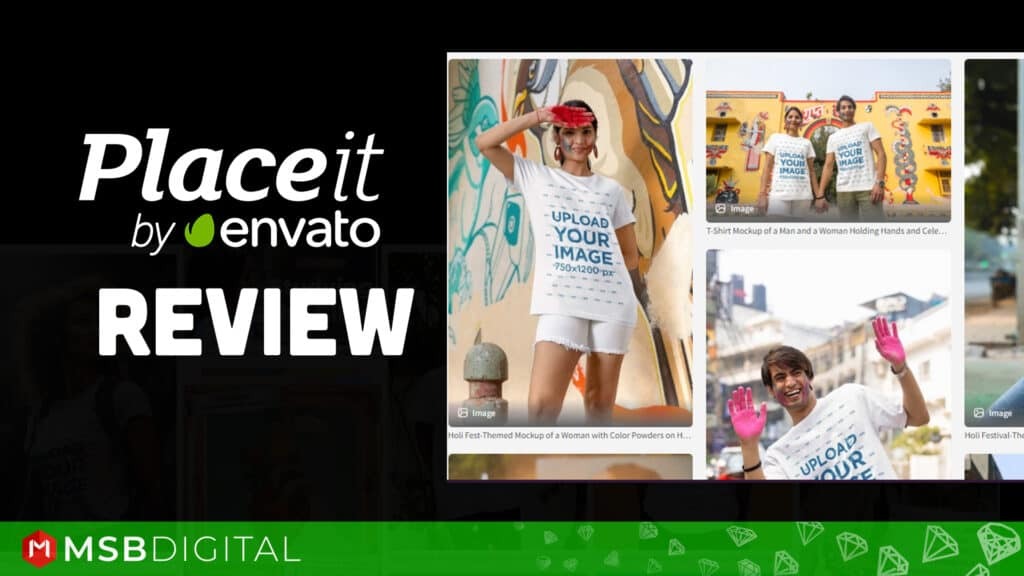
The instant gratification was addictive. Suddenly, I wasn’t just *selling* t-shirts; I was *showcasing* them in a way that made customers visualize themselves wearing them. My conversion rates saw a noticeable bump, and for the first time, I felt truly confident about the visual appeal of my brand. This initial success spurred me to explore everything else Placeit had to offer, and believe me, there’s a lot.
Diving Deep into Placeit’s Features: What I Use Most
Placeit is packed with features, and I’ve genuinely used a significant portion of them for various projects. Let me walk you through the ones that have made the biggest difference for me.
1. The Mockup Generator: My Absolute Lifesaver
This is, without a doubt, the flagship feature for me. The sheer variety of mockups is staggering.
* **Apparel Mockups**: If you sell t-shirts, hoodies, tank tops, hats, or even tote bags, this is where Placeit shines. You can place your design on models of all demographics, in different settings (urban, studio, outdoors), and even on flat lays or hanging clothes. I’ve used these extensively for my print-on-demand store. Instead of just showing a flat design, I can show a stylish person wearing my design, giving potential buyers a real feel for the product. This feature alone justified my subscription multiple times over.
* **Digital Device Mockups**: For showcasing websites, apps, or even presentations, these are invaluable. Imagine your new website design displayed perfectly on an iPhone held by someone scrolling through it, or on a sleek laptop in a modern office. I use this constantly when I want to demonstrate a new landing page or an update to my digital products. It instantly adds a layer of professionalism and realism that’s hard to achieve otherwise.
* **Print Mockups**: Books, magazines, flyers, business cards – you name it. If you’ve got a design that needs to look good in print, Placeit has a mockup for it. I’ve used these to show off my digital prints in realistic frame mockups, giving customers a better sense of how they’d look in their home.
* **Product Mockups**: Mugs, pillows, packaging, even billboards! If you have a physical product, there’s a good chance Placeit has a mockup for it.
The process is always the same: pick your mockup, upload your image, adjust its size and position, change colors if available, and download. It’s ridiculously simple.
“I used to spend hours trying to get my t-shirt designs to look good on models using complicated software, or I’d pay for stock photos that never quite fit. With Placeit, I just upload my design, and in literally seconds, I have dozens of professional-grade images. It’s a game-changer for my online store!” – *Sarah K., Small Business Owner*
2. Design Templates: Social Media Goldmine
Beyond mockups, Placeit offers a huge library of design templates for various purposes. Need a stunning Instagram post? A captivating Facebook cover? A professional-looking flyer for an event? They’ve got you covered.
I particularly love the social media templates. As someone who constantly needs fresh content, I can quickly create branded posts, stories, and covers without relying on a designer or wrestling with complex tools. I just find a template that catches my eye, swap out the text and images for my own, tweak the colors to match my brand, and it’s ready to go. This has saved me countless hours and helped maintain a consistent brand aesthetic across all my platforms. I’ve also used their YouTube channel art and thumbnail templates to give my video content a more polished look.
3. Logo Maker: Quick & Professional Branding
Creating a logo from scratch can be intimidating. Placeit’s logo maker isn’t meant to replace a bespoke design agency, but for entrepreneurs, side hustlers, or anyone needing a quick, professional, and customizable logo, it’s fantastic.
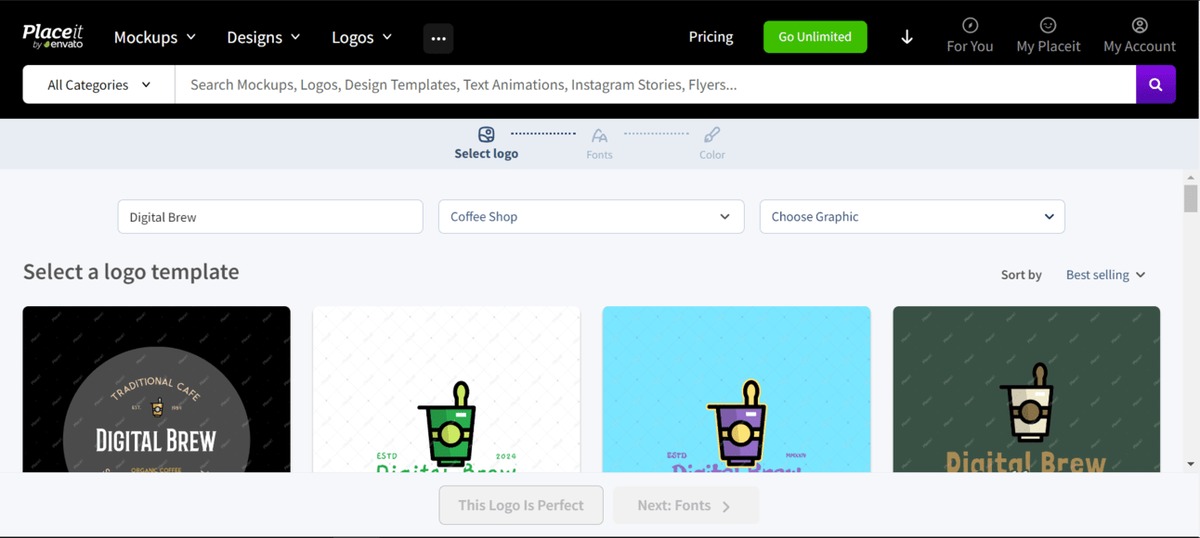
You simply type in your business name, choose an industry, and Placeit generates hundreds of logo options based on pre-designed templates. You can then customize the icon, font, colors, and layout until it’s perfect. I used this for a small side project I started – a niche blog – and within 15 minutes, I had a clean, modern logo that perfectly conveyed the blog’s theme. It felt liberating to create something that looked so good without any formal design training.
“I needed a logo for my new podcast, but my budget was tight. The Placeit logo maker gave me so many options, and I was able to customize one perfectly. It looks incredibly professional, and I didn’t have to break the bank or wait weeks for a designer.” – *Mark T., Podcaster*
4. Video Maker: Adding Motion to My Marketing
This was a feature I explored later, but it quickly became another favorite. Placeit’s video maker allows you to create intro/outro videos, social media videos, animated logos, and even animated stories.
I’ve used this to create dynamic intros for my short YouTube tutorials and animated social media ads. The templates are engaging and easy to customize. You just select a template, upload your media (or use their stock options), add your text, choose music, and Placeit renders it for you. The results are surprisingly slick and professional, making my video content feel much more polished. It’s an excellent way to add that extra layer of engagement without diving into complex video editing software.
The User Experience: Smooth Sailing All The Way
One of the things I appreciate most about Placeit is its user-friendliness. The interface is clean, intuitive, and remarkably fast. I’ve never experienced lag or crashes, which is a big deal when you’re trying to meet a deadline.
* **Search Functionality**: With thousands of templates, a robust search function is critical, and Placeit delivers. You can filter by category, industry, color, and even specific keywords like “urban model t-shirt mockup.”
* **Customization**: Each template offers a good range of customization options. For mockups, you can often change garment colors, background colors, and add text. For designs and logos, you have control over fonts, colors, icons, and layout. While it’s not as granular as Photoshop, it offers more than enough flexibility for most users to make designs uniquely their own.
* **Browser-Based**: No software to download or update! Everything runs in your web browser, which means I can access Placeit from any computer, anywhere, without worrying about compatibility or system requirements. This is a huge convenience for me as I often switch between my desktop and laptop.
Visit Official placeit Website Now
Who Is Placeit For?
I truly believe Placeit is a fantastic tool for a wide range of individuals and businesses:
* **Small Business Owners & Entrepreneurs**: Need to market your products/services visually without hiring expensive designers? Placeit is your answer.
* **Content Creators (YouTubers, Bloggers, Podcasters)**: Create eye-catching thumbnails, channel art, social media posts, and video intros/outros.
* **Print-on-Demand Sellers**: Generate stunning mockups for t-shirts, mugs, phone cases, and more to showcase your designs realistically.
* **Social Media Managers**: Quickly create branded, engaging content for multiple clients or platforms.
* **Freelancers**: Enhance your portfolio with professional mockups or whip up quick visual assets for clients.
* **Anyone Without Graphic Design Skills**: If you have ideas but lack the software or expertise to bring them to life, Placeit is incredibly empowering.
The Pricing Model: Is it Worth the Investment?
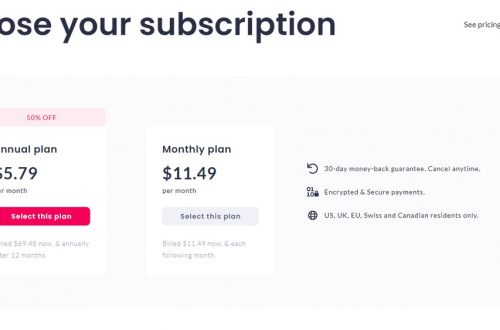
Placeit operates on a subscription model, offering unlimited downloads once you sign up. You can opt for a monthly or annual subscription, with the annual plan offering significant savings. They also offer single downloads if you only need one or two assets, but if you anticipate using it more than a couple of times a month, the subscription is by far the better value.
From my own experience, the subscription pays for itself almost immediately. Consider this: hiring a professional photographer for product mockups could cost hundreds, if not thousands, of dollars. Purchasing individual premium design templates or stock video clips can quickly add up. With Placeit, I get unlimited access to a constantly expanding library of mockups, designs, logos, and videos for a fixed, reasonable monthly fee. The time saved alone is priceless. I can whip up several high-quality visuals in the time it would take me to just *brief* a designer, let alone wait for their deliverables.
“I was hesitant about another subscription, but Placeit has saved me so much time and money. I used to spend hours searching for free mockups or trying to make my own. Now, I just hop on Placeit, and I have what I need in minutes. My marketing efforts have become so much more efficient.” – *Jessica L., Marketing Coordinator*
What I *Really* Love About Placeit (My Pros)
* **Effortless to Use**: Seriously, no design degree needed. The learning curve is practically flat.
* **Massive Library**: The sheer volume and variety of templates and mockups mean you’ll almost always find something that fits your need. New templates are added regularly, too.
* **Time-Saving**: This is huge for small business owners and content creators. What used to take me hours now takes minutes.
* **Cost-Effective**: Compared to hiring designers, photographers, or purchasing expensive software and stock assets individually, Placeit’s subscription is incredibly economical.
* **High-Quality Output**: The graphics, mockups, and videos look professional and polished, instantly elevating your brand’s perception.
* **Browser-Based Convenience**: Work from anywhere, anytime, on any device with internet access.
Visit Official placeit Website Now
A Few Things to Consider (My Cons/Limitations)
While I’m clearly a huge fan, no tool is absolutely perfect for every single scenario.
* **Customization Depth**: While customization options are ample for most users, Placeit isn’t a full-fledged graphic design suite like Adobe Photoshop or Illustrator. If you need highly intricate, custom illustrations or pixel-perfect control over every single element, you might find some limitations. It’s about working *within* the templates, not building from scratch with unlimited freedom.
* **Template Dependence**: Because it’s template-driven, there’s a slight risk of your designs looking similar to others if you don’t customize them sufficiently. Always try to add your unique branding, colors, and specific imagery to make them stand out.
* **File Formats**: Downloads are generally in common formats like JPG/PNG for images and MP4 for videos. While this works for 99% of use cases, if you need vector files or specific video codecs for advanced editing, you might need to look elsewhere or use Placeit as a starting point.
* **Internet Connection Required**: Being a browser-based tool, you obviously need a stable internet connection to use it.
Tips for Getting the Most Out of Placeit
To truly maximize your Placeit experience, here are a few things I’ve learned:
1. **Use High-Quality Assets**: Always upload your best quality images, logos, and designs. Placeit can make them look great, but it can’t fix a blurry original.
2. **Experiment with Variations**: Don’t just settle for the first template you find. Try your design on a few different mockups or apply it to several design templates to see which one resonates most.
3. **Brand Consistency is Key**: Use the same colors, fonts (or similar ones available on Placeit), and logo across all your Placeit creations to build a cohesive brand identity.
4. **Explore Every Section**: Don’t get stuck just in mockups. Dive into the logo maker, the design templates, and especially the video maker. You might discover powerful new ways to promote your brand.
5. **Utilize the Search Filters**: Become a master of Placeit’s search and filter options to quickly narrow down the thousands of templates to exactly what you need.
My Final Verdict: A Game-Changer for Visual Content
Look, if you’re like me – someone who needs professional visuals but lacks the time, budget, or skills for traditional design routes – then Placeit is an absolute must-have. It has fundamentally changed how I approach creating marketing materials and showcasing my products. What used to be a source of constant frustration is now a quick, enjoyable, and incredibly effective part of my workflow.
It’s not just about saving money; it’s about empowering you to take control of your brand’s visual identity with confidence. The ability to quickly generate high-quality mockups, eye-catching social media graphics, and even engaging videos, all from one user-friendly platform, is incredibly valuable. I’m continually impressed by the quality and quantity of assets available, and how easy they make it to look like a marketing powerhouse, even if you’re a one-person show.
Give it a try. I bet you’ll be as amazed as I was at how quickly you can elevate your visual content. It really is a powerful tool that delivers fantastic results without the fuss.
Visit Official placeit Website Now
“I thought I needed a graphic designer on retainer, but Placeit proved me wrong. It’s given me the freedom to create beautiful content on my own schedule, without compromising on quality. My business looks more legitimate, and I’m proud of the visuals I’m putting out there.” – *David R., E-commerce Entrepreneur*


You May Also Like

Unboxing Joy: Why Book of the Month Is My Favorite Reading Companion
My Real Experience with parallel makeup bag: What You Should Know