How superspace Transformed My Digital Chaos into Creative Flow (A Deep Dive)
Alright, let’s talk about something that probably plagues many of you reading this: digital clutter. You know the drill. A million tabs open, files scattered across Google Drive, Dropbox, your desktop, half a dozen project management tools, notes in Notion, ideas scribbled on digital sticky notes that disappear into the ether. For the longest time, my digital life felt like a perpetual scavenger hunt, and frankly, it was exhausting. My brain felt like a browser with too many open tabs, constantly whirring, slowing down, and crashing when I needed it most.
As a freelance writer and designer, my work demands focus and a seamless flow between different projects, clients, and tools. But the reality was, I was spending more time *managing* my digital workspace than actually *working* within it. I’d lose precious minutes – sometimes hours – just trying to relocate a specific brief, a client’s brand guidelines, or that one piece of inspiration I’d swear I saved somewhere. It was a cycle of inefficiency, stress, and a constant low hum of anxiety about missing something crucial. I knew there had to be a better way, but every “solution” I tried just added another layer of complexity to an already overwhelming situation.
Then, a few months ago, a colleague mentioned superspace. She described it as “the ultimate digital hub,” a place where everything you need lives harmoniously, organized, and instantly accessible. My initial thought was, “Sure, another app promising to fix everything.” I’ve been down that road many times. But her enthusiasm was infectious, and my desperation for a calmer, more productive workflow was at an all-time high. So, I decided to take the plunge and explore what superspace was all about. And let me tell you, it’s been one of the best decisions I’ve made for my business and my sanity.
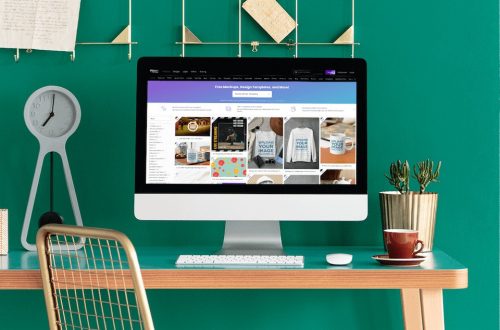
From the moment I first landed on the official superspace website, I felt a sense of calm. The design was clean, intuitive, and the promise was simple: bring all your tools, files, and links into one intelligent workspace. No more bouncing between apps, no more frantic searching. Just clarity and focus. It sounded almost too good to be true, but I was willing to give it a real shot.
My own use of superspace started with a small, manageable goal: consolidate all the assets for my current client projects. I linked my Google Drive, Dropbox, Notion pages, and even my Slack channels directly into superspace. The setup was surprisingly straightforward. It wasn’t like learning a whole new complex operating system; it was more like giving my existing digital tools a super-powered, intelligent dashboard. Instead of hunting through individual apps, I could simply create a project in superspace, and pull in all the relevant documents, links, and communication threads associated with it. This instantly shaved off so much time from my daily routine. The mental burden of knowing where everything was disappeared, replaced by a quiet confidence.
One of the first things that blew me away was how seamlessly it integrated with tools I already rely on daily. I didn’t have to migrate everything; superspace simply became the central nervous system connecting them all. For example, when I’m working on a new blog post, I have my research links, client brief, editorial calendar (from Notion), and even relevant images (from Google Drive) all accessible from a single project view within superspace. Before, this would have involved at least three different browser tabs, a file explorer window, and likely a frantic search through my notes app. Now, it’s all just *there*.
What I truly love about superspace is how it understands the way creative professionals and freelancers actually work. It’s not just a fancy bookmark manager; it’s a dynamic environment that adapts to your workflow. The ability to create custom ‘spaces’ for different clients, projects, or even personal endeavors has been a game-changer. I have a space for “Client A – Marketing Campaign,” another for “Personal Blog Ideas,” and even one for “Admin & Finances.” Each space is a curated bubble of everything I need for that specific area of my life, keeping distractions at bay and focus locked in. If you’re tired of digital chaos, you owe it to yourself to explore a truly integrated workspace. You can learn more and try it out here: Visit Official superspace Website Now
Key Features That Made a Real Difference in My Workflow
Let’s dive a bit deeper into some of the features that really stand out and why they’ve become indispensable in my daily life.
1. **The Unified Dashboard & Centralized Workspace:** This is the core of superspace, and it’s brilliant. Instead of opening multiple applications and browser tabs, I open superspace, and everything I need is right there. My daily tasks, ongoing projects, communication channels, and even quick links to frequently used websites are all laid out in an organized, customizable dashboard. This drastically reduces context switching, which was a huge productivity killer for me. I can jump from drafting an email to reviewing a design proof without leaving my superspace environment. It’s like having a control panel for my entire digital life.
2. **Smart Search and Organization:** This feature alone is worth its weight in gold. How many times have you vaguely remembered a document title or a keyword, but couldn’t recall where you saved it? With superspace, its smart search function combs through all your connected apps and files. I can type in a client’s name or a project keyword, and superspace pulls up relevant documents from Google Drive, notes from Notion, and even conversations from Slack. It’s incredibly powerful and has saved me countless hours of frustrating searches. The organizational capabilities go beyond search, allowing me to tag, categorize, and link related items in a way that makes logical sense to *my* brain, not just some arbitrary folder structure.
3. **Customization and Personalization:** This isn’t a one-size-fits-all solution, which is something I truly appreciate. superspace lets you tailor your workspace to your specific needs. I can drag and drop modules, rearrange my dashboards, choose what information is prioritized, and even customize the aesthetics. This level of personalization makes the workspace feel truly *mine*, which encourages me to use it consistently and effectively. It’s not just a tool; it’s an extension of my creative process.
4. **Effortless Integrations:** As I mentioned, the integration capabilities are top-notch. It connects with a wide array of popular apps, from file storage like Google Drive and Dropbox to communication platforms like Slack and productivity tools like Notion and Trello. This means I don’t have to abandon my existing tools; superspace simply makes them work better together. It acts as the glue, making my disparate digital components feel like one cohesive system. This was a massive relief, as I was dreading the thought of migrating all my data to yet another platform. Instead, superspace just… linked everything up.

If you’re wondering if superspace could be the answer to your digital woes, it probably is. It’s especially well-suited for:
* **Freelancers:** Juggling multiple clients, projects, and deadlines can be overwhelming. superspace provides a centralized hub to keep everything organized, from client briefs to invoices.
* **Small Business Owners:** Managing teams, marketing, finances, and day-to-day operations can be a lot. superspace helps streamline workflows and ensures everyone has access to the information they need.
* **Creative Professionals:** Designers, writers, marketers, artists – anyone who needs to switch between creative tasks, research, and client communication frequently will find immense value in the focused environment superspace offers.
* **Anyone Overwhelmed by Digital Clutter:** If your desktop is a mess, your browser has too many tabs, and you feel like you’re constantly losing track of important information, superspace can bring order and calm.
Addressing the Learning Curve and Investment
Now, you might be thinking, “This sounds great, but is it hard to learn?” That was a concern of mine too. I’ve spent too much time trying to figure out overly complicated software. Thankfully, the initial setup for superspace was surprisingly intuitive. They’ve clearly put a lot of thought into the user experience. I started by connecting my most used accounts, like Google Drive and Notion, and then gradually added more. There’s a slight learning curve, as with any new tool, but it felt more like exploring a new, well-designed home rather than navigating a complex maze. The investment (both time and money) has paid for itself many times over in saved time and reduced stress. It’s an investment in your focus and peace of mind.
What Others Are Saying About superspace
It’s not just me singing its praises. I’ve talked to several people who’ve integrated superspace into their daily routines, and their feedback echoes my own experience.
“I used to spend half my morning just trying to gather all the pieces for a single project. superspace changed that completely. Now everything’s just… there. It’s truly a game-changer for my small design studio.” – Sarah L., Graphic Designer
“As a freelancer, context switching was killing my productivity and my brain. superspace has given me back so much focus. I feel like I’m actually working *on* my projects, not just organizing them.” – Mark P., Marketing Consultant
“I was skeptical at first, another ‘productivity tool.’ But superspace is different. It’s less about new tools and more about making my existing tools work better together. My clients even notice I’m more organized!” – Emily R., Copywriter
“Honestly, I thought my digital chaos was just ‘me.’ Turns out, I just needed a better system. superspace is intuitive and has become the hub for everything I do. Highly recommend it if you’re drowning in tabs.” – David C., Software Developer
These testimonials truly highlight the core value proposition of superspace: it simplifies, organizes, and empowers you to focus on what truly matters. If you’re ready to experience this for yourself, give it a look: Visit Official superspace Website Now
superspace vs. The Old Way: A Night and Day Difference
Before superspace, my “workflow” was a chaotic dance between browser tabs, desktop folders, and various cloud storage interfaces. I’d have ten different applications open at once, each demanding a piece of my attention. The constant switching back and forth, the loading times, the sheer visual noise – it was mentally draining. My brain was working overtime just to keep track of where everything was, leaving less capacity for the actual creative work. I spent so much time on “meta-work” – organizing, searching, trying to find information – that my real output suffered.
The alternatives I tried were either too niche, addressing only one aspect of my problem (like just a task manager or just a note-taking app), or they were overly complex, requiring a complete overhaul of my digital life, which felt like a massive uphill battle. None of them truly offered a unified, intelligent command center for *all* my digital assets and workflows.
superspace, on the other hand, acts as that intelligent command center. It doesn’t ask you to abandon your tools; it asks to be the bridge that connects them all. It’s not just about a pretty interface; it’s about a fundamentally more efficient way of interacting with your digital world. The difference in my daily productivity and mental state is truly night and day. I no longer dread starting my workday, knowing I’ll have to fight through a digital jungle. Instead, I open superspace, and everything is waiting for me, perfectly aligned.

The Broader Impact of superspace on My Work-Life
Beyond just the tangible benefits of saving time and increasing productivity, superspace has had a profound impact on my overall well-being. The reduction in digital stress is immense. I used to carry a mental load of remembering where everything was, fearing I’d forget a crucial detail or miss a deadline because a file was buried deep in some obscure folder. That anxiety has largely evaporated. I feel more in control, more organized, and consequently, more confident in my work.
This newfound mental clarity has freed up cognitive space for actual creative thinking. Instead of wasting energy on digital logistics, I can channel it into brainstorming ideas, refining designs, or crafting compelling narratives. It’s allowed me to delve deeper into my projects, produce higher quality work, and truly enjoy the creative process again. It’s helped me define clear boundaries within my day – when I’m in superspace, I’m focused on work. When I’m not, I can truly switch off. This is something I’ve struggled with for years as a freelancer. If you’re serious about streamlining your digital life and reclaiming your focus, I really encourage you to check it out: Visit Official superspace Website Now
Tips for Getting Started with superspace
If my experience has piqued your interest, here are a few tips based on my journey to help you get started with superspace:
1. **Start Small:** Don’t try to migrate your entire digital life on day one. Pick one specific project or client, and consolidate everything related to that into a new superspace. This allows you to learn the ropes without feeling overwhelmed.
2. **Connect Your Most Used Apps First:** Identify the 2-3 cloud storage or productivity apps you use most frequently and integrate them. This will immediately show you the power of superspace’s centralization.
3. **Experiment with Organization:** superspace offers various ways to organize – tags, categories, custom dashboards. Play around with them to find a system that resonates with how *you* think and work.
4. **Utilize the Search Function:** Make it a habit to use superspace’s smart search. The more you use it, the more you’ll realize how much time it saves compared to digging through individual apps.
5. **Personalize Your Spaces:** Take advantage of the customization options. Make your superspace feel like your own command center. The more comfortable and intuitive it feels, the more likely you are to use it consistently.
My Final Thoughts on superspace
In a world increasingly cluttered with digital noise and scattered information, superspace has emerged as a beacon of clarity and efficiency for me. It’s not just another tool; it’s a philosophy for a more organized, focused, and ultimately, more productive digital life. It has genuinely transformed the way I work, reducing stress, boosting my output, and giving me back precious time and mental energy. For anyone drowning in tabs, lost in files, or simply yearning for a more streamlined digital existence, I cannot recommend giving superspace a try enough. It’s been a true game-changer for me, and I’m confident it can be for you too.
Ready to reclaim your digital sanity and unlock your full creative potential?
Explore superspace today: Visit Official superspace Website Now


You May Also Like

Diving Deep into Katin: A Personal Take on Enduring Style and Quality

My Incogni Journey: Reclaiming My Digital Footprint in the US